
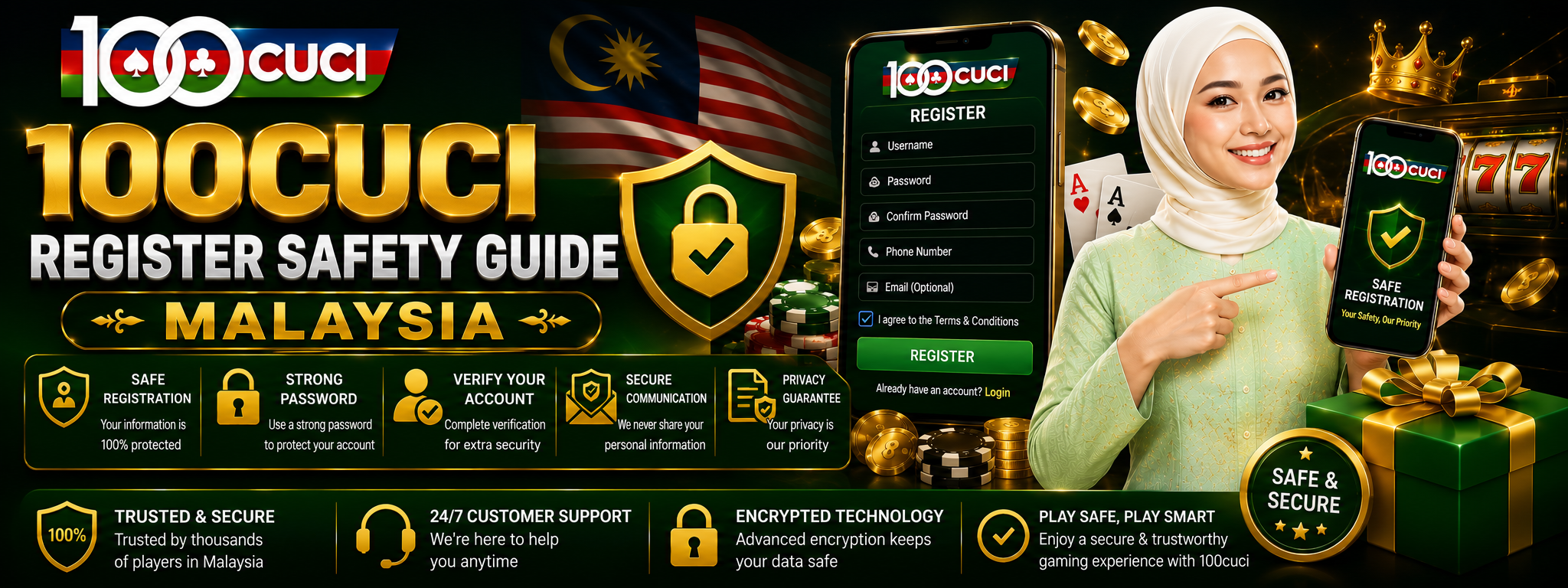

Review the Sign-Up Process Before Creating an Account
100cuci Register Safety Guide Malaysia explains what adults should check before submitting a registration form. Important areas include eligibility, website address, requested personal information, password creation, contact verification, marketing choices and the confirmation shown after sign-up.
Registration requirements and available features may change. Always read the current information, privacy notice, account rules and promotion conditions displayed by the destination platform before providing personal details.
Quick answer
Before registering, confirm that you intended to visit the destination website, check which details are required, use contact information you control and read each consent option. Stop if the form requests unrelated information, a password used elsewhere, a one-time code from another service or remote access to your device.
Decide Whether the Account Is Appropriate for You
Creating an account may involve personal details, contact verification and acceptance of platform rules. Review those requirements before beginning instead of making decisions while a form is already open.
Check Every Registration Field
A registration form should make it reasonably clear why information is requested. Required fields may differ between services, but visitors should pause when a form asks for information unrelated to creating or verifying the account.
| Form area | What to check | Warning sign |
|---|---|---|
| Name and identity | Enter accurate information and review how later verification may use it. | Another person tells you to use a false name or borrowed identity. |
| Email address | Use an active address that you control and can secure independently. | The form or another person asks for your email password. |
| Phone number | Confirm the country code and number before requesting verification. | Somebody asks you to forward a one-time code unrelated to this registration. |
| Password | Create a unique password that is not used for email, banking or other accounts. | A message tells you what password to use or asks you to send it back. |
| Referral or promotion | Check whether it is optional and read any connected conditions. | An urgent reward claim pressures you to skip the terms. |
| Consent choices | Read privacy, account-rule and marketing selections separately. | Consent boxes or costs are hidden, unclear or already selected unexpectedly. |
A Safer Registration Sequence
Avoid starting from unexpected links sent through social media, messaging applications, advertisements or unknown contacts.
Check the spelling, secure connection and consistency of the destination before entering personal information.
Confirm age, location, identity, duplicate-account and verification requirements.
Use accurate details that belong to you and avoid supplying unrelated sensitive data.
Use a unique password and keep verification or recovery information private.
Check referral, promotion, newsletter and marketing options before accepting them.
Check the registered email or phone number and keep a record of relevant account information without storing passwords in public notes.
Check the Browser, Device and Connection
A small mobile screen can make addresses, consent boxes and form labels harder to review. Zoom or rotate the device when necessary and do not continue until important text is readable.
- Use an updated browser on a device protected by a screen lock.
- Avoid registering on shared phones, public computers or devices controlled by another person.
- Close unexpected pop-ups instead of entering account information into them.
- Check the complete destination address rather than relying only on a logo or page colours.
- Avoid submitting sensitive details through an unsecured public connection.
- Do not install an unknown application merely because a message claims it is required for registration.
If the registration page is incomplete, repeatedly reloads or displays overlapping fields, stop before submitting. Refresh the page once, use another trusted browser or return later rather than guessing what a hidden field means.
Separate Registration From Promotional Decisions
Creating an account and joining a promotion are different decisions. A welcome offer may include wagering requirements, eligible activities, time limits, deposit conditions or withdrawal restrictions. Registration alone should not be treated as proof that a promotion is suitable or available.
- Read the full promotion terms before selecting an offer.
- Check whether participation is automatic or requires a separate action.
- Review expiry dates, eligibility rules and any payment conditions.
- Do not rush because a message displays a countdown or urgent reward claim.
- Keep a copy or screenshot of the terms relevant to your decision.
- Decline optional marketing messages if you do not want them.
For a detailed explanation of common promotional conditions, read the 100cuci Bonus Guide Malaysia.
Confirm the Account Was Created Correctly
After registration, check the information shown in the account profile before proceeding to other sections. Early corrections may be simpler than resolving inconsistent information later.
Do not immediately add payment information just because registration succeeded. First confirm that the account details are accurate and read the relevant payment and responsible-use information.
Common Registration Problems
| Problem | Possible reason | Safer response |
|---|---|---|
| Verification message does not arrive | The contact detail may contain an error, or delivery may be delayed. | Review the submitted address or number and avoid requesting codes repeatedly. |
| Email or phone already exists | An earlier account may already use that information. | Use the recovery route instead of creating duplicate accounts. |
| Form keeps reloading | The session, connection or browser may be unstable. | Stop repeated submissions, check whether an account was created and try again later if necessary. |
| Information is rejected | A field may be incomplete, inconsistent or outside eligibility rules. | Read the displayed message carefully; do not submit invented details. |
| Unexpected support contact | A third party may be attempting to collect account information. | End the conversation and use the support route displayed on the intended destination. |
If registration fails, do not send personal documents or verification codes to unknown contacts offering to “activate” the account. Keep screenshots of error messages that do not expose sensitive information and contact the destination service through its displayed support process.
Understand How Your Information May Be Used
Before submitting a registration form, read the destination platform’s current privacy information. Check what data is collected, why it is requested and how account holders can ask questions about their information.
100cuci Store cannot create, verify, edit or recover visitor accounts. We do not receive passwords, verification codes or identity documents. You can also review our own Privacy Policy, Terms and Conditions and Affiliate Disclosure.
Registration Safety FAQ
What should I check before opening a registration form?
Confirm the destination address, eligibility requirements, requested information, privacy notice and account rules. Decide whether the account is appropriate before entering personal details.
Should I use the same password as my email account?
No. Use a unique password so that exposure of one service does not automatically expose another important account.
What if my email address or phone number is already registered?
Use the available account recovery process rather than creating repeated accounts or using another person’s contact details.
Should I send a verification code to an agent or support contact?
No. Enter a code only into the intended verification screen for the action you started. Do not forward one-time codes, passwords or recovery codes to another person.
Does creating an account guarantee a bonus?
No. Promotion availability and eligibility depend on the current terms. Registration should not be treated as guaranteed participation, value or winnings.
Can 100cuci Store create or verify my account?
No. This website is an independent guide and does not operate visitor accounts. Account-specific requests must be handled by the relevant destination service.
Register Only After Making an Informed Decision
The 100cuci Register Safety Guide Malaysia is intended for adults aged 18 and above. Registration does not guarantee access, promotion eligibility, winnings or financial returns.
Set personal time and spending limits before using gambling-related services. Never use money needed for rent, food, bills, debt payments or other essential expenses. Read our responsible-use information for additional guidance.